
If you’ve ever switched on a laptop, tapped a mobile screen, or used a smart device, you’ve interacted—perhaps unknowingly—with an operating system (OS). It’s one of those technologies that quietly runs in the background, doing all the heavy lifting so we can work, browse, play, and create without a second thought. Whether tech is your world or you’re just getting started, understanding operating systems is a powerful foundation.
In this blog, we’ll break down what an operating system actually is, what it does, and why it’s essential. We’ll also look at some common OS examples you interact with every day.
What Is an Operating System?
At its simplest, an operating system is the core software that manages a computer’s hardware and provides services to applications. Think of it as a middleman: apps and users communicate with the hardware through the OS. Without it, every click, tap, or keystroke would require understanding machine-level commands.
An OS creates a smooth environment where multiple programs can run, files can be stored and accessed, and hardware components can work together efficiently.
Why Operating Systems Matter
Operating systems aren’t just important—they’re fundamental. Without them, computers would be impossible to use for everyday tasks. They abstract away the complexity of hardware, allowing users and developers to focus on what they want to achieve, not how to manually control components.
In a world of rapid digital transformation, understanding operating systems helps users appreciate everything from smartphone behavior to cloud infrastructure.
Core Functions of an Operating System
Let’s dive into the major functions an OS performs behind the scenes. These functions ensure your device is fast, reliable, secure, and capable of running the applications you need.
1. Process Management
Whenever you open an application—whether it’s a game, browser, or text editor—the OS creates and manages a process. A computer may run hundreds of processes at once, and the OS ensures they don’t interfere with each other.
Key responsibilities include:
- Allocating CPU time to different programs
- Enabling multitasking
- Scheduling tasks efficiently
- Managing background and foreground processes
Real-world example: When you stream music while browsing, taking notes, and downloading a file simultaneously, the OS ensures fair CPU time so everything runs smoothly.
2. Memory Management
Memory is a limited resource, and the OS makes sure it’s used wisely. It tracks which program is using which portion of memory and prevents one application from accessing another’s data.
What it handles:
- Allocating RAM to applications
- Releasing memory when programs stop
- Managing virtual memory
- Ensuring stable performance during heavy workloads
Example: If your laptop starts slowing down because you have 15 tabs open, the OS may move inactive data to virtual memory so active applications get priority.
3. File System Management
Every document, image, video, or program stored on your device sits inside a file system. The Operating System (OS) organizes these files in a structured way so you can find, save, delete, or modify them easily.
Tasks It includes:
- Organizing files into directories
- Managing permissions
- Tracking file locations
- Handling read/write operations
Example: When you save a photo or download a PDF, the Operating System (OS) decides where it goes on the drive and how it’s stored.
4. Device and Hardware Management
Your Operating System controls the hardware—CPU, memory, storage drives, keyboard, mouse, display, cameras, printers, and more. It uses drivers to help apps interact with hardware safely.
It has Responsibilities like:
- Detecting and configuring hardware
- Managing device drivers
- Facilitating communication between apps and devices
Example: When you plug in a new USB mouse and it starts working instantly, you should thank your OS, because it manages the system software that helps it function properly.
5. Security and Access Control
Security is provided in every modern operating system. From password protection to user permissions, OS-level security ensures your data stays safe.
Includes:
- User authentication
- Access control for files and apps
- Data encryption
- Firewall and threat detection support
Example: Whenever you install an application on your laptop, it asks for permission before installing it. This means that it is protecting your system from potential risks.
6. User Interface (UI)
The Operating System is responsible for creating the interface you interact with—graphical User Interface (GUI) or command-line Interface (CLI). GUIs provide windows, icons, menus, and buttons; CLIs rely on typed commands.
Example: Windows has its Start Menu, macOS has the Dock, and Linux distributions offer both GUI and CLI options.
Types of Operating Systems
While the details can get complex, there are several categories based on how the OS manages tasks and users.
1. Batch Operating Systems
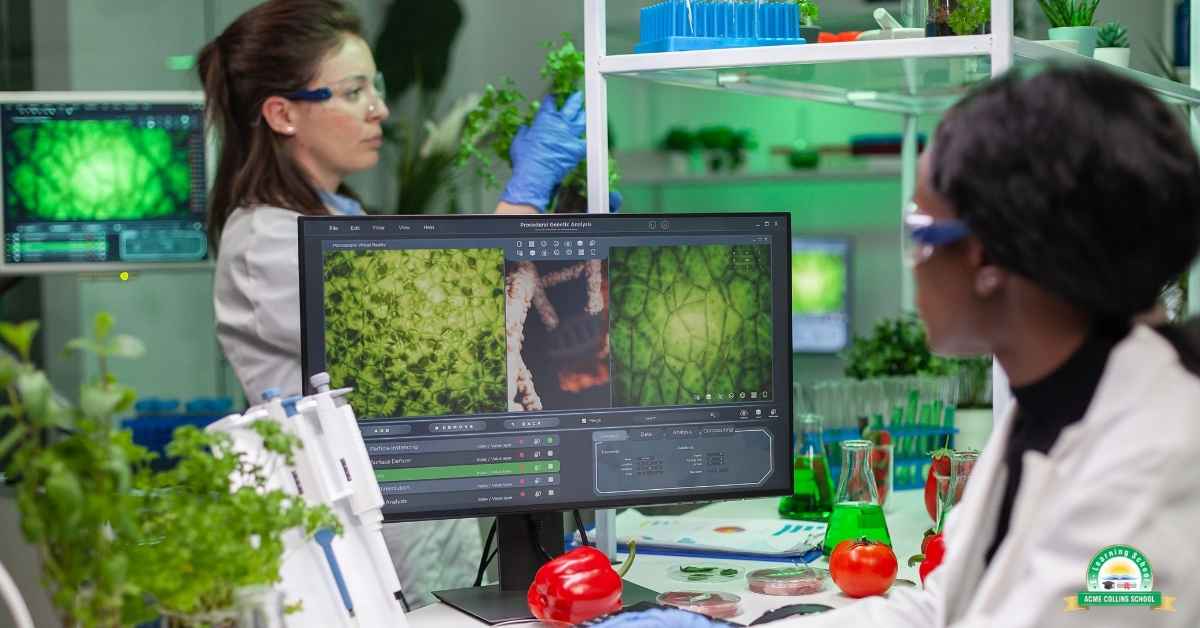
As the name suggests ‘Batch’. These execute batches of jobs without user interaction. Popular in older or specific scientific systems. e.g. VxWorks, RTLinux
2. Time-Sharing Operating Systems
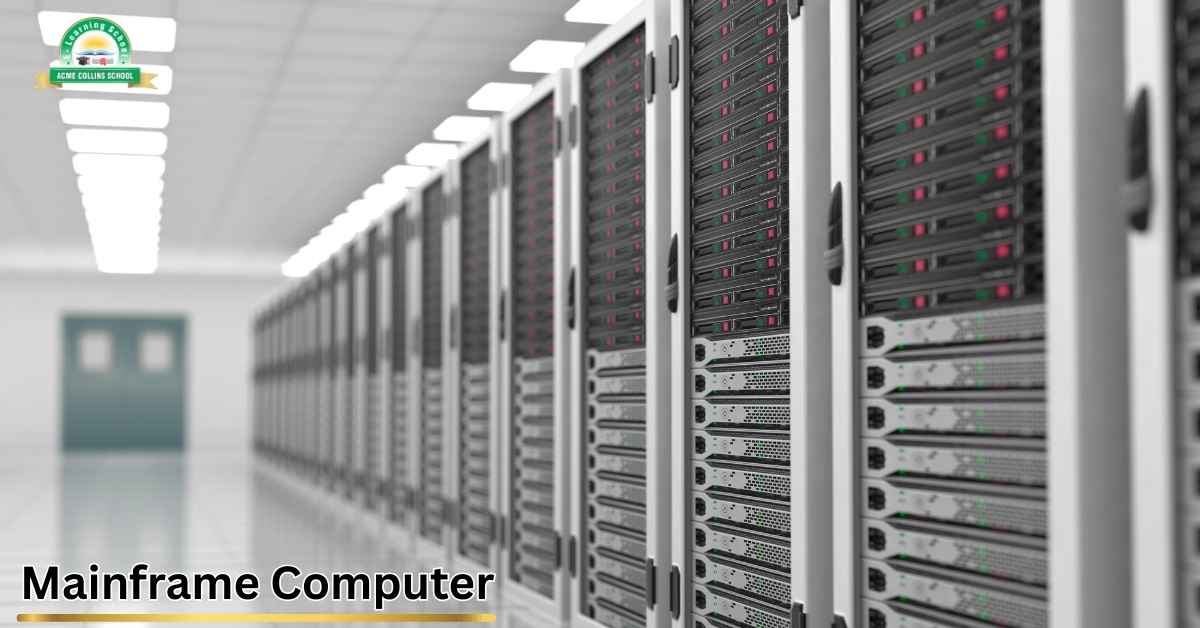
It enables multiple users to share computer resources simultaneously. It is very common in servers and mainframes.
3. Distributed Operating Systems
Well, It is a type of system where applications run on many connected computers, but to the user it looks like everything is running on one single computer. Even though multiple CPUs are working in the background, the user experiences it just like a normal centralized operating system.
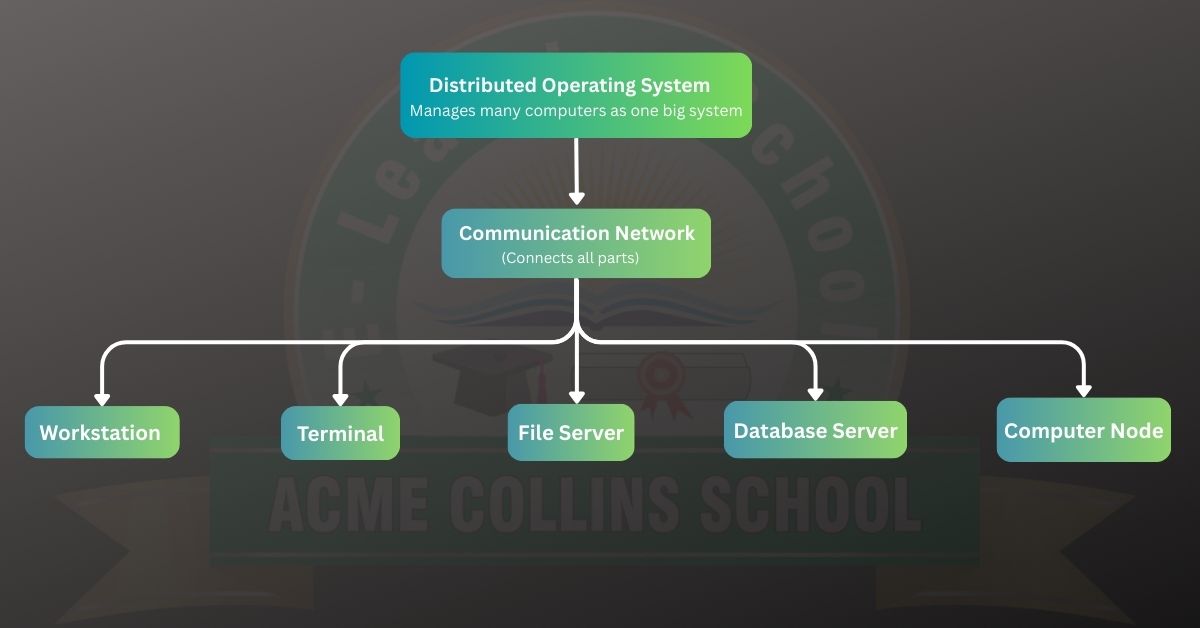
These computers communicate with each other through fast connections like high-speed cables or telephone lines. Each computer has its own memory and can talk to nearby computers.
4. Network Operating Systems
Now, Let’s Understand What is Network Operating System (NOS). It is specialized software that manages, operates, and supports a network of connected computers and devices. While a regular operating system (like Windows or macOS) handles tasks on a single machine, a NOS coordinates the entire network, ensuring users and devices can communicate, share resources, and access network services smoothly.
Think of it as the “brain” behind a computer network—keeping everything organized, secure, and running efficiently.
5. Real-Time Operating Systems (RTOS)
RTOS stands for Real-Time Operating System. It guarantees that tasks are executed within a strict time limit—for example, if the deadline is 2 milliseconds, the system will ensure it finishes within that time. This makes it essential for devices that require precise timing, such as medical instruments and robotics.
Popular Operating System Examples
Now that we understand how operating system work, let’s look at some widely used examples across devices and industries.
1. Microsoft Windows
One of the world’s most dominant desktop operating systems, Windows powers millions of consumer and enterprise machines. It offers a user-friendly GUI, strong app support, and compatibility with diverse hardware.
Used in: PCs, laptops, workstations, gaming systems
2. macOS
Apple’s operating system for Macs is known for its sleek interface, strong performance, and seamless integration with the Apple ecosystem. It’s popular among creative professionals working with design, video editing, and music production.
Used in: MacBooks, iMacs, Mac Pros
3. Linux
Linux is open-source and highly customizable. It’s widely used in servers, supercomputers, embedded devices, and increasingly, desktops. Popular distributions include Ubuntu, Fedora, Debian, and CentOS.
Used in: Servers, cloud environments, development machines, IoT devices
4. Android
Android, powered by the Linux kernel, is the world’s most popular mobile OS. It supports millions of apps, offers deep customization, and runs on devices from multiple manufacturers.
Used in: Smartphones, tablets, smart TVs, wearables
5. iOS
Apple’s mobile OS is known for its security, stability, and powerful hardware-software integration. The controlled ecosystem ensures consistent performance and a polished user experience.
Used in: iPhones, iPads, iPods
6. Specialized Operating Systems
Some OSs are built for highly specific use cases:
- FreeRTOS – used in embedded systems
- ChromeOS – optimized for cloud-based workflows
- BlackBerry QNX – used in automotive systems
- UNIX – powering enterprise servers
Conclusion
Ultimately, an operating system is far more than just software—it is the essential bridge between you and the machine. Working continuously behind the scenes, it allocates resources, enforces security, and maintains compatibility, allowing you to work smoothly and efficiently.
By understanding these fundamentals, you move from being a passive user to an empowered one, gaining a deeper appreciation of the logic and intelligence that drive your everyday digital experiences